Slyde
Slyde is an iOS and Android app for finding events, buying tickets and seeing which friends are going. In 2023 we designed the product from scratch, starting from an idea and a name.
Starting point
The Slyde founders came to us with a product idea and a name. There were no screens, no brand system and no user flows. They needed a complete design that their own developers could build from.
We spent the first two weeks on discovery. Together with the founders we wrote down the main scenarios: find an event, check who is going, buy a ticket or reserve a table, and get in at the door. We used this list to decide which screens the app needed and in what order to design them.
Exploring directions
We sketched three concepts for the home screen as low-fidelity wireframes:
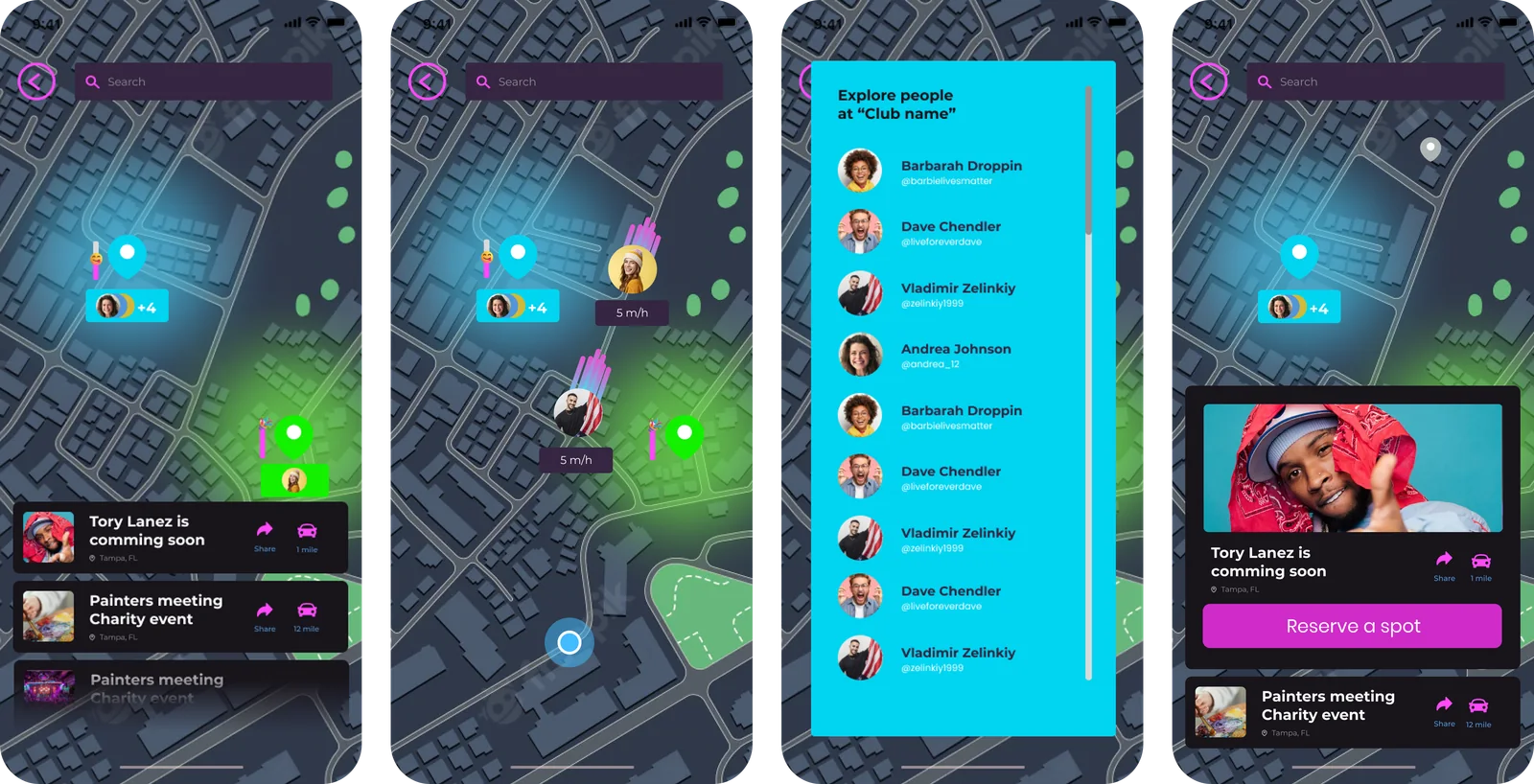
- A map that shows what is happening nearby
- A list of venues, grouped by neighborhood
- A feed of events with friends' stories at the top
We reviewed all three with the founders. The feed worked best for the main scenario, deciding where to go tonight, so we chose it as the home screen. The map became a separate tab, and the venue list turned into a filter inside the feed.
Testing and iteration
We turned the wireframes into a clickable prototype and tested it with eight people from the target audience. Two problems came up. People missed the ticket button on the event page, and they did not see the difference between buying a ticket and reserving a table.
We moved the main action to a fixed bar at the bottom of the event page and merged tickets and reservations into one checkout flow. A second round of tests confirmed both changes.
Visual design
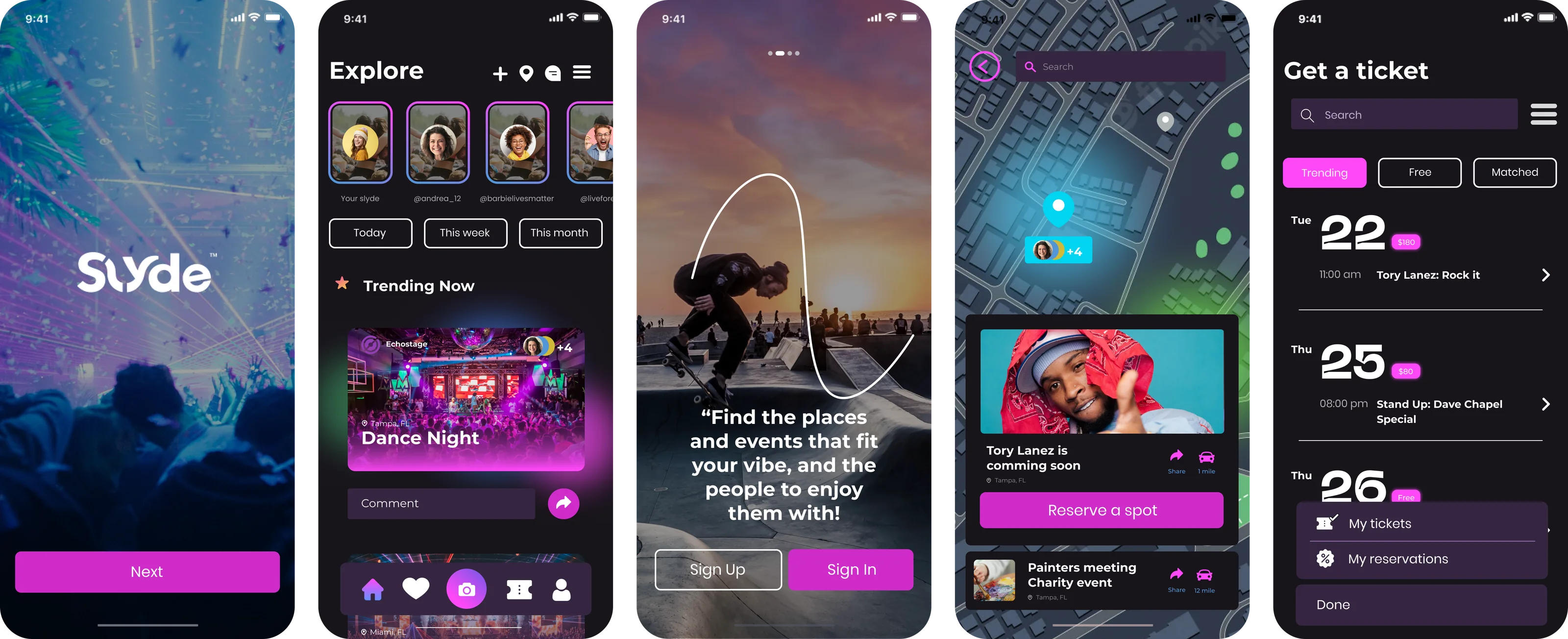
We prepared two visual directions, one light and one dark. The founders chose the dark one: event photos and posters carry most of the visual weight in the app, and a dark interface with a single accent color lets them stand out. Then we designed the full product:
- Onboarding, sign-up and phone verification
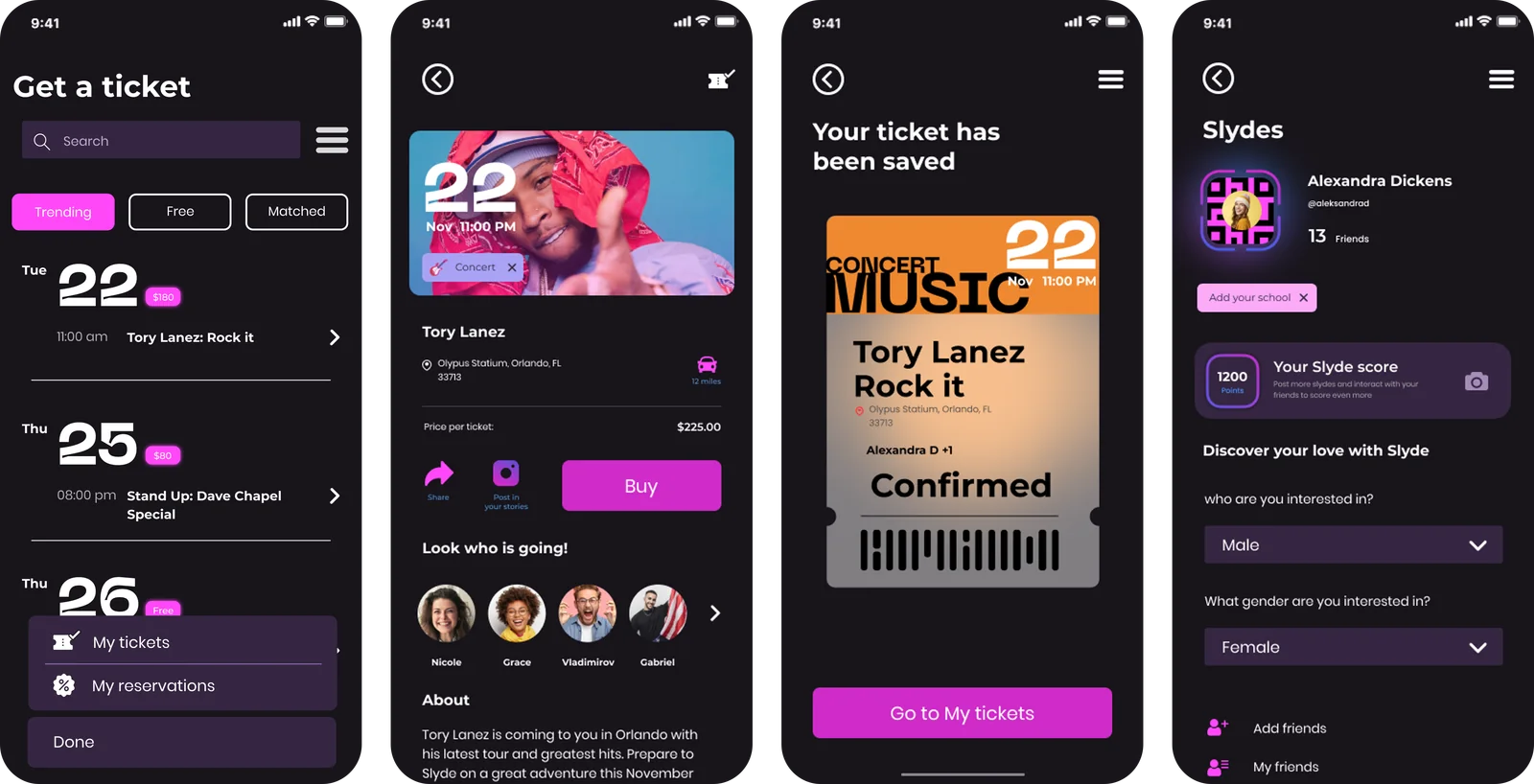
- The Explore feed with filters by date and interest
- Event pages, checkout and a ticket wallet
- The map with live event pins
- Friends, attendee lists and chat
- Payment setup and promo codes
Team and hand-off
Two product designers and a project manager worked on Slyde for about three months. We worked in Figma and reviewed progress with the founders every week. For the developers we prepared about 60 screens for iOS and Android, a component library, interactive prototypes of the main flows, and specs with every state and asset.
Result
Slyde approved the final design after two rounds of revisions and handed it to their development team. We stayed available during the build to answer questions and design the edge cases that came up along the way.